8 Creative Smart Doorbell Automation Ideas to Try
Table of Contents
ToggleWhy Basic Doorbell Chimes Are No Longer Enough
Implementing creative smart doorbell automation ideas is the most effective way to turn a basic video chime into a full home security hub.
Most homeowners install a video doorbell solely to view live video feeds or check delivered packages. However, relying only on default phone notifications often leads to missed visitors or notification fatigue.
When you connect your smart doorbell to your broader home network, it evolves into an active trigger for contextual security and daily convenience.
8 Creative Smart Doorbell Automations You Should Try
1. The Package Delivery Arrive-Home Reminder
- The Problem: A delivery driver drops off a box while you are out running errands, and you forget to grab it when you pull into the driveway.
- The Automation: When the doorbell detects a person or package, it flips a virtual helper switch. As soon as your smartphone connects to your home Wi-Fi upon arrival, your smart speaker announces: “Remember to pick up the package at the front porch!”
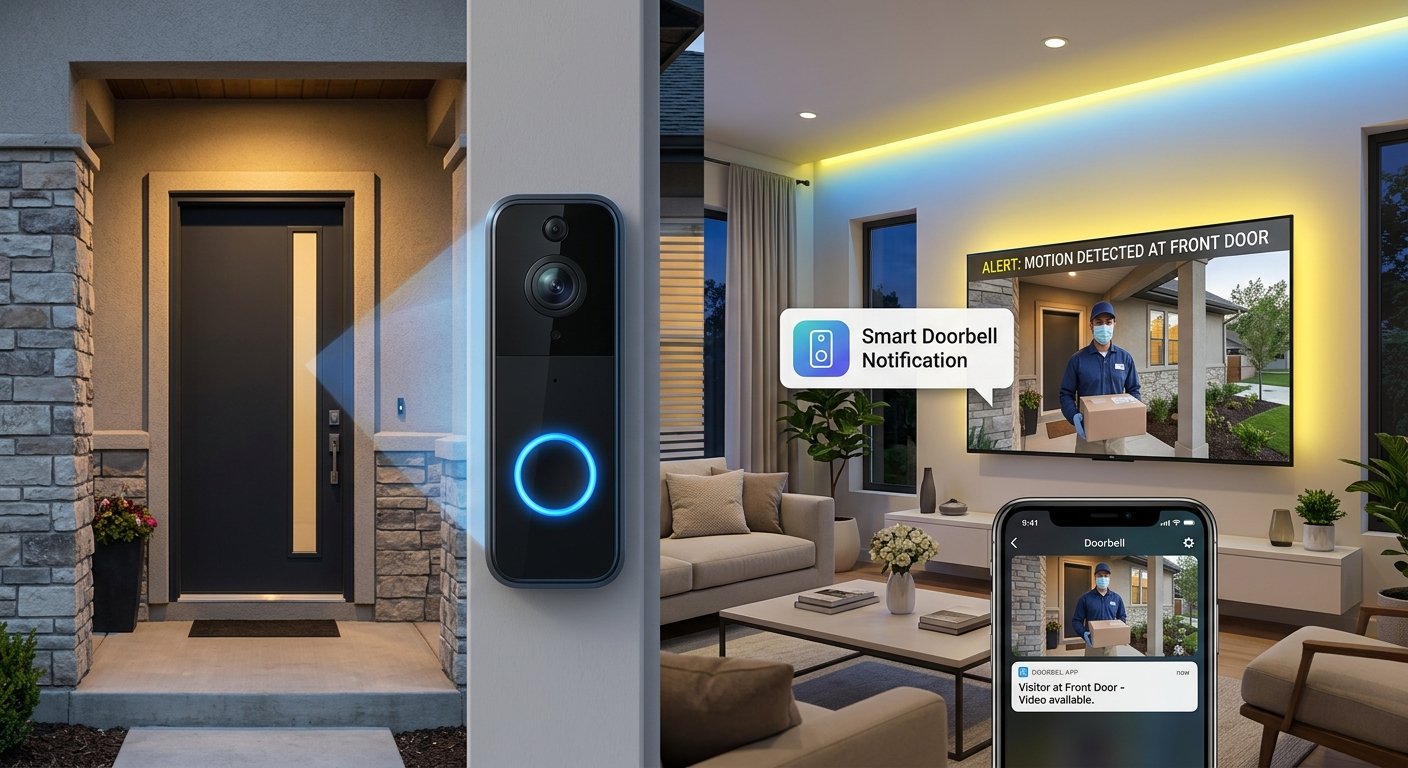
2. Automatic TV Snapshot Overlay
- The Problem: You are watching a movie in the basement or living room and miss the front door chime.
- The Automation: When a visitor approaches, the doorbell takes a quick camera snapshot and overlays a subtle pop-up picture-in-picture notification directly on your TV screen for 5 seconds without interrupting your movie.
3. Media Auto-Pause & Resume
- The Problem: High audio volume prevents you from hearing someone at the door, or you have to search for the TV remote to pause your show.
- The Automation: Pressing the doorbell button immediately pauses Spotify or TV playback. Once the front door opens and closes again, the automation automatically resumes your media where you left off.
4. Late-Night Security Floodlight Trigger
- The Problem: Walking to the door late at night in complete darkness can be hazardous and unsafe.
- The Automation: If the doorbell detects motion between 11 PM and 6 AM, it instantly turns on the porch floodlights to 100% brightness and subtly flashes a master bedroom nightlight to alert you quietly.
5. Automated “Barking Dog” Deterrent
- The Problem: Unwanted visitors or prowlers checking for empty homes while you are away on vacation.
- The Automation: When motion is detected at the front door while your home status is set to “Away”, an Echo or Sonos speaker near the entryway plays a high-quality recording of a large barking dog.
6. Backyard Light Notification
- The Problem: You are having a barbecue in the backyard and cannot hear the indoor doorbell chime.
- The Automation: Pressing the doorbell causes your outdoor patio lights to flash on and off three times, letting you know a guest has arrived without needing loud speakers outdoors.
7. Instant Quick-Response Pre-Recordings
- The Problem: You are in a video meeting and cannot answer the door directly.
- The Automation: Tap a single custom widget on your phone or smartwatch to have your doorbell speaker announce: “Please leave the package at the side gate, thank you!”
8. Sunset-Based Dynamic Lighting
- The Problem: Overhead porch lights left on all day waste energy.
- The Automation: The doorbell camera acts as an outdoor illuminance sensor. When light levels drop below threshold levels at dusk, it turns on warm accent lighting only when motion is actively detected.
Comparison: Basic Setup vs. Fully Automated Doorbell
| Feature | Basic Video Doorbell | Automated Smart Doorbell |
| Notification Type | Standard Phone Push Alert | TV Overlay, Light Flashes, & Speaker Audio |
| Media Handling | Manual Mute | Auto-Pause & Auto-Resume |
| Security Deterrence | Passive Recording | Simulated Guard Dog & Instant Night Floodlights |
| Platform Integration | Single App Only | Home Assistant / Matter / SmartThings |
How to Set Up Your First Doorbell Automation in Home Assistant
- Integrate Your Doorbell: Connect your Ring, Nest, Eufy, or Reolink doorbell using its native Home Assistant or Matter integration.
- Define the Trigger: Set the trigger to
binary_sensor.doorbell_person_detectedorevent.doorbell_press. - Set Time/State Conditions: Add a condition so the rule only runs during specific hours (e.g., after 10 PM) or when your home presence is set to Away.
- Choose Your Action: Select your target smart light, media player, or smart TV device to execute the response.
- Test and Calibrate: Trigger a test press to fine-tune motion sensitivity and prevent false triggers from passing cars or small animals.
Frequently Asked Questions
Do I need Home Assistant for these doorbell automations?
While platforms like Home Assistant offer the deepest flexibility for advanced rules (like TV picture-in-picture popups), many simple light-flashing and audio-announcement automations can also be set up directly using Alexa Routines or Google Home Automations.
Will smart doorbell automations increase battery drain?
Video processing and motion detection occur on the device or server. However, frequently triggering external smart lights or floodlights has no impact on your doorbell’s internal battery life.
Final Verdict
Upgrading your video doorbell with smart automation routines changes it from a basic monitoring camera into an active security hub. Start with simple actions—like auto-pausing TV media or triggering porch lights at night—to immediately improve your daily home efficiency and safety.
Looking to Upgrade Your Home Security & Automation?
Integrating AI with your smart setup is just the beginning! Check out our latest blog posts and buyer’s guides to discover the top security cameras, hubs, and automation tools for 2026.
Frequently Asked Questions
- Do hands-free smart locks work if my phone battery dies?
Yes, most UWB hands-free smart locks feature a backup numeric keypad or physical keyway for manual access when your phone battery is depleted. - Will a hands-free smart lock trigger while I am inside my home?
No, Ultra-Wideband technology uses precise radar sensing to detect whether your phone is inside or outside the door perimeter, preventing accidental unlocks while you walk around inside.