Best AI Home Security Camera 2026 for Your Safe Home
Choosing protection for your property can feel hard because many options exist. As the future of smart home security grows, an AI Home security camera can help meet your needs. Our guide to the best ai home security camera 2026 explains newer technology and helps protect your family.

We assess leading models from Google, Ring, Arlo, Eufy, and Reolink. This review checks more than video resolution, including motion detection and data privacy. Reliable performance guides our comparison of these modern systems.
You will learn about easy installation, subscription costs, and links to your current ecosystem. We offer a clear path toward an informed choice for your residence. Let us explore features that define a truly intelligent monitoring solution.
Key Takeaways
- Compare leading brands like Google, Ring, and Arlo for your property.
- Focus on detection accuracy rather than just video resolution.
- Understand the true cost of cloud storage and subscription plans.
- Ensure your new device integrates seamlessly with your current smart ecosystem.
- Prioritize privacy settings to keep your personal data safe and secure.
What Changed in Home Security Cameras for 2026
In 2026, intelligent hardware is changing how we protect our properties. Homeowners want more than basic video feeds that need constant cloud uploads. The industry now favors speed, local processing, and user control.
Smarter on-device detection and faster privacy controls
The biggest trend in home security camera news 2026 is on-device AI detection. Local processing lets cameras spot threats in milliseconds, without waiting for cloud analysis. It cuts delays and sends alerts as soon as something happens.
Manufacturers are also placing privacy controls at the center of the user experience. You can manage data sharing and recording schedules more easily. These updates let you choose what your camera sees and where it stores that information.
How Google, Amazon Ring, Arlo, Eufy, and Reolink are advancing AI features
Major brands are taking different paths to improve their AI capabilities. Google and Amazon Ring are building deeper links with smart home systems for more useful alerts. Arlo and Eufy are expanding on-device AI detection to reduce cloud storage needs.
Reolink offers high-resolution, local-first solutions for privacy-conscious users. These companies are improving algorithms that identify delivery drivers, stray pets, and possible intruders. Their competition is driving innovation across the entire market.
Why 2026 camera news matters for American homeowners
Following the latest home security camera news 2026 helps you make smarter buying decisions. Knowing the benefits of local processing helps you choose hardware with better performance and lower long-term costs. You can get strong security without giving up your personal data.
These advances offer peace of mind to families across the United States. Better privacy controls and faster, more accurate alerts help your system protect your home. Investing in modern technology today keeps your security setup useful for years.
best ai home security camera 2026: The Leading Models to Watch
Choosing the best ai home security camera 2026 depends on how you plan to monitor your property. Indoor and outdoor needs call for different tools. Consider connectivity, storage, and compatibility with your smart home system before choosing.

Google Nest Cam (wired, indoor, 2nd gen) for reliable indoor monitoring
Key AI features and Google Home compatibility
The Google Nest Cam suits homes that already use Google Home. It sends intelligent alerts for people, animals, and vehicles without a paid subscription. Its wired design avoids battery charging during constant indoor monitoring.
Privacy and subscription considerations
Google protects users with encrypted video streams and two-factor authentication. Basic features are free, while Nest Aware adds a longer video history. This model offers seamless integration and easy use for homeowners.
Ring Stick Up Cam Pro for Alexa-connected homes
Radar-assisted motion detection and Bird’s Eye View
The Ring Stick Up Cam Pro uses radar technology for more accurate motion alerts. Its Bird’s Eye View feature maps movement paths around your home. It helps show exactly where a visitor walked on your property.
Ring Protect plans and data-sharing considerations
It works best with Amazon Alexa, supporting voice commands and live view triggers. Ring Protect unlocks full cloud storage and advanced person detection. Review the app’s data-sharing settings to control your recorded clips.
Arlo Pro 5S 2K for detailed outdoor video
2K HDR video, color night vision, and smart alerts
If you need clear video, the Arlo Pro 5S 2K records crisp 2K HDR footage. It offers color night vision for identifying details in low light. Customizable smart alerts notify you about only important activity.
Battery options and Arlo Secure requirements
The camera offers flexible battery options for many outdoor locations. An Arlo Secure subscription unlocks advanced AI features and cloud storage. It is a powerful solution for those demanding the highest video quality for their perimeter.
EufyCam S3 Pro for local storage and solar charging
Solar-powered design and local AI processing
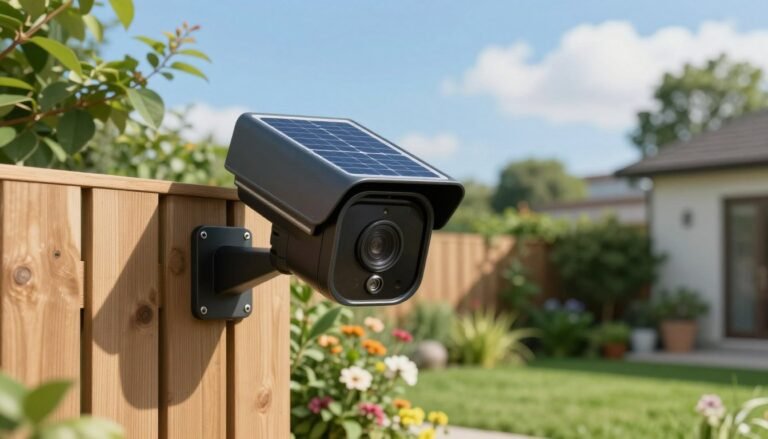
The EufyCam S3 Pro suits people who want a “set it and forget it” experience. Its solar panel charges the battery, while local AI processing keeps video data on the device. This design adds privacy by keeping footage off the cloud.
HomeBase S380 compatibility and privacy benefits
Connecting to the HomeBase S380 provides massive local storage without monthly fees. It suits users avoiding recurring costs while keeping total control of security data. This system marks a significant step forward in private, self-contained home monitoring.
Reolink Argus 4 Pro for wide-area outdoor coverage
Dual-lens viewing, night vision, and local recording
The Reolink Argus 4 Pro uses two lenses for a wide, panoramic view. It offers advanced night vision and local recording through a microSD card. This cost-effective choice monitors large spaces without cloud subscriptions.
Best placements for driveways, yards, and side entrances
Its wide field of view suits driveways, large backyards, and long side entrances. One device can capture an entire area, reducing the need for multiple cameras. It is a versatile tool for securing your home’s exterior.
| Model | Primary Strength | Storage Type | Smart Ecosystem |
|---|---|---|---|
| Google Nest Cam | Indoor Reliability | Cloud | Google Home |
| Ring Stick Up Cam Pro | Radar Detection | Cloud | Amazon Alexa |
| Arlo Pro 5S 2K | Video Clarity | Cloud/Local | Multi-Platform |
| EufyCam S3 Pro | Solar/Local AI | Local | Eufy HomeBase |
| Reolink Argus 4 Pro | Wide-Angle View | Local | Standalone |
How AI Detection Is Improving Home Safety in 2026
Modern home security now goes beyond motion sensors that react to every breeze. Today, AI motion detection helps devices understand nearby activity with impressive accuracy. Your camera becomes a watchful assistant instead of a basic recording tool.

Recognizing people, vehicles, pets, packages, and unusual activity
Advanced algorithms sort movement into clear categories, so you receive updates about events that matter. Your system can tell the difference between a delivery driver leaving a box and a stray cat crossing your yard.
- People: Identifies family members or potential intruders.
- Vehicles: Tracks cars entering or leaving your driveway.
- Packages: Monitors your porch for incoming deliveries.
- Pets: Distinguishes between your dog and neighborhood wildlife.
Reducing false alerts from weather, shadows, and passing traffic
Older systems often caused frustration by sending too many unnecessary notifications. With false alarm reduction, modern cameras ignore moving branches, changing shadows, and passing headlights. When your phone pings, it means something truly needs your attention.
Using real-time notifications to support faster decisions
When a camera detects a specific threat, it sends real-time security notifications to your smartphone. These alerts give you context to act quickly, such as using two-way audio or contacting local authorities. With smart alerts, these systems help you make informed decisions within seconds.
Where AI alerts still need human verification
AI has made major advances, but it is not infallible. Poor lighting, extreme weather, or unusual behavior can confuse even advanced sensors. Use your judgment to verify alerts, especially when the camera angle is blocked or footage looks unclear.
Human oversight remains the final layer of protection for your home and family.
Privacy, Security, and Regulation Behind the Latest Camera News
Modern home security balances high-tech convenience with the basic right to digital privacy. As you use these devices daily, learn how they manage footage, not just how clearly they record.
Local processing versus cloud-based video analysis
Choosing between local video storage and cloud systems often depends on your comfort level. Local systems keep data on a physical drive at home, giving you more control and avoiding monthly subscription fees.
Conversely, cloud video security lets you access footage from anywhere in the world. Cloud services are easy to use, but you must trust a third-party provider with sensitive visual data.
Encryption, two-factor authentication, and account protection
Regardless of where your data lives, prioritize strong account security. Always enable two-factor authentication to add an essential defense against unauthorized access.
“Security is not a product, but a process that requires constant vigilance and updated defenses.”
Ensure your manufacturer uses end-to-end encryption for every video stream. This protects your camera privacy because only you—not the service provider—can view recorded clips.
How Apple Home, Google Home, and Amazon Alexa handle camera data
Major tech ecosystems handle video feeds in different ways. Apple HomeKit Secure Video, for example, emphasizes privacy by processing video locally on your home hub before sending encrypted data to iCloud.
Google Home and Amazon Alexa often depend on cloud video security for advanced AI features. Review privacy settings regularly to control how long clips stay stored and who can access them.
Federal and state privacy issues for cameras facing shared spaces
Cameras facing sidewalks, driveways, or neighboring properties create complex legal concerns. In many states, ensure your local video storage or cloud uploads do not capture private areas of a neighbor’s home.
- Check local ordinances regarding audio recording, as some states have strict two-party consent laws.
- Angle your cameras to focus strictly on your own property lines to respect the privacy of passersby.
- Be transparent with neighbors if your camera setup is highly visible or covers shared access points.
Important security updates and manufacturer support commitments
Your device’s lifespan depends on the manufacturer’s software support. A camera is only as secure as its latest firmware update, which patches vulnerabilities hackers could exploit.
Choose brands that offer a clear plan for long-term support. Investing in a reputable company helps protect your camera privacy from changing digital threats for years.
How to Choose the Right AI Camera for Your Home
Your home needs a security setup built for its entry points and blind spots. A comprehensive home security camera buying guide helps you choose technology that protects your family without adding wall clutter.
Matching camera type to entryways, interiors, yards, and garages
For front doors, choose a tall aspect ratio to capture packages on the ground. An outdoor security camera in your yard needs a wider view for large spaces.
Interiors benefit from compact designs that blend into your decor. Garages often need rugged, weather-resistant models for temperature changes and low-light conditions.
Comparing wired, battery-powered, solar, and cellular installation options
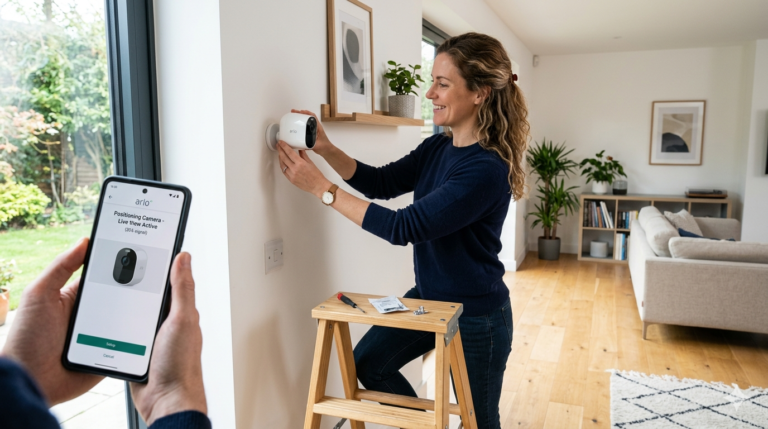
Wired cameras provide the most consistent performance because they never need charging. A wireless security camera offers flexibility for renters or people avoiding power-cable holes.
Solar panels suit remote areas where changing batteries is inconvenient. If Wi-Fi is weak, consider cellular models for a reliable connection.
Choosing between 1080p, 2K, 4K, HDR, and wide-angle video
Higher resolution, such as 4K, helps identify faces or license plates from far away. HDR balances bright sunlight and deep shadows for clearer footage.
Wide-angle lenses reduce the cameras needed for one zone. Balance resolution with storage capacity to avoid filling your cloud space too quickly.
Calculating subscription, storage, and replacement battery costs
Many manufacturers offer free basic features, but advanced AI detection often needs a monthly subscription. Include long-term cloud storage costs when comparing brands.
For a battery-powered unit, check the battery’s expected lifespan. Some models use costly proprietary packs, while others use standard rechargeable cells.
Checking compatibility with Google Home, Amazon Alexa, and Apple Home
Seamless integration defines a modern smart home. Checking Google Home Alexa Apple Home compatibility before buying prevents setup frustration.
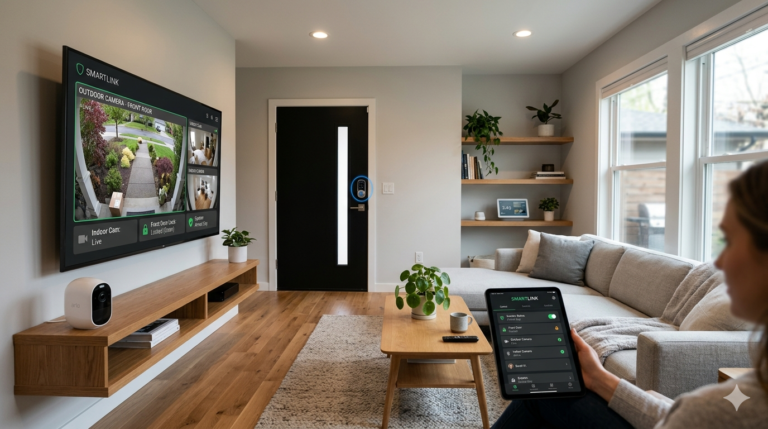
Check whether the camera streams directly to your smart display or TV. You can then see who is at the door without using your smartphone.
Making sure night vision and two-way audio fit the property
Color night vision helps identify intruders in total darkness. Ensure the infrared range matches your driveway or yard’s distance.
Two-way audio quality varies widely between devices. Test microphone sensitivity so you can speak clearly with delivery drivers or visitors through your mobile app.
| Camera Type | Best Use Case | Power Source | Key Advantage |
|---|---|---|---|
| Wired | Entryways | AC Outlet | Continuous Recording |
| Battery | Interiors | Rechargeable | Easy Installation |
| Solar | Backyards | Sunlight | Low Maintenance |
| Cellular | Remote Sheds | Battery/Solar | No Wi-Fi Needed |
Conclusion
Choose a security device by balancing detection accuracy, privacy needs, storage preferences, and smart home integration. The Google Nest Cam, Ring Stick Up Cam Pro, and Arlo Pro 5S 2K offer different strengths. The EufyCam S3 Pro and Reolink Argus 4 Pro also suit different property layouts.
Protecting your household takes more than the initial setup. Follow AI camera safety tips: enable two-factor authentication to help prevent unauthorized access to your video feeds. Review your data settings often to understand how your footage is stored and processed.
Verify every alert to confirm the activity, then adjust motion zones to match your yard or entryway. These AI camera safety tips support reliable protection while respecting your neighbors’ privacy. Time spent on these settings helps keep your home a safe, private sanctuary for your family.
FAQ
What makes on-device detection better than cloud-based analysis in 2026?
A: On-device detection processes video data on camera hardware instead of sending it to a remote server. For American homeowners, this means faster alerts, fewer reduced false notifications from shadows or passing traffic, and better privacy. Your most sensitive footage can stay on your home network during analysis.
How does the Ring Stick Up Cam Pro use radar technology?
The Ring Stick Up Cam Pro uses radar-assisted motion detection for greater precision than traditional sensors. This technology powers the Bird’s Eye View feature, which creates an aerial map of motion events. You can see a visitor’s exact path, whether they approach the front door or head toward the side yard.
Can I get high-quality security footage without a monthly subscription?
Yes! Ring Protect and Arlo Secure offer useful cloud features, while Eufy and Reolink focus on local storage. The EufyCam S3 Pro works with the HomeBase S380 to store footage locally without monthly fees. The Reolink Argus 4 Pro supports local recording directly to a microSD card.
What are the benefits of the dual-lens design on the Reolink Argus 4 Pro?
The Reolink Argus 4 Pro uses a dual-lens system for a wider view than standard cameras. It suits large areas, such as driveways and wide backyards, without the distortion common in “fisheye” lenses. This provides wide-area outdoor coverage with one device.
Is 2K HDR video quality sufficient for outdoor security?
Absolutely. The Arlo Pro 5S 2K uses 2K HDR video to preserve details in bright sunlight and deep shadows. With color night vision, these cameras can help identify license plate numbers and clothing colors in difficult lighting.
How do I ensure my AI camera remains private and secure?
Choose cameras that support two-factor authentication (2FA) and end-to-end encryption to protect your data. Platforms like Apple Home, Google Home, and Amazon Alexa use strict security protocols. Also check for firmware updates from Google and Arlo to get the latest security patches.
What is the easiest installation option for a rental property?
For renters or quick setups, battery-powered and solar-powered cameras are strong choices. The EufyCam S3 Pro has a solar-powered design that stays charged with a few hours of sunlight. It removes the need to drill for permanent wiring or swap batteries by hand.
Does the Google Nest Cam (wired, indoor, 2nd gen) work with other smart home systems?
The Google Nest Cam offers deep integration with Google Home. As the industry adopts Matter compatibility, many 2026 models are becoming more flexible. If you are heavily invested in Amazon Alexa, Ring or Arlo may provide smoother feed viewing on Echo Show devices.