Why Sub-$300 Matter Smart Locks Dominate in 2026
Bottom Line Up Front (BLUF): Finding the best smart lock under $300 in 2026 no longer requires sacrificing build quality or paying recurring cloud subscriptions. Leading models such as the Aqara Smart Lock U400 ($269.99), Level Lock Matter ($249.99), and ULTRALOQ Bolt SE ($84.99) deliver native Matter over Thread connectivity, local biometric unlocking, and offline keypad reliability with $0 monthly fees.
Why Sub-$300 Matter Smart Locks Dominate in 2026
Previously, getting instant biometric entry, Apple Home Key support, and local smart home integration meant spending over $350 or paying monthly cloud fees for basic access logs. In 2026, widespread adoption of the Matter over Thread standard has brought flagship security features directly into budget and mid-range deadbolts.
Choosing the best smart lock under $300 ensures your front door communicates directly with your local smart hub in under 100 milliseconds—keeping your access codes encrypted inside your home and ensuring your lock works even during internet outages.
Top 3 Contenders Under $300 Compared
- Best Overall Feature Set — Aqara Smart Lock U400 ($269.99): Combines ultra-fast capacitive fingerprint recognition, native Thread radio, and multi-platform Matter support for Apple Home, Google Home, SmartThings, and Home Assistant.
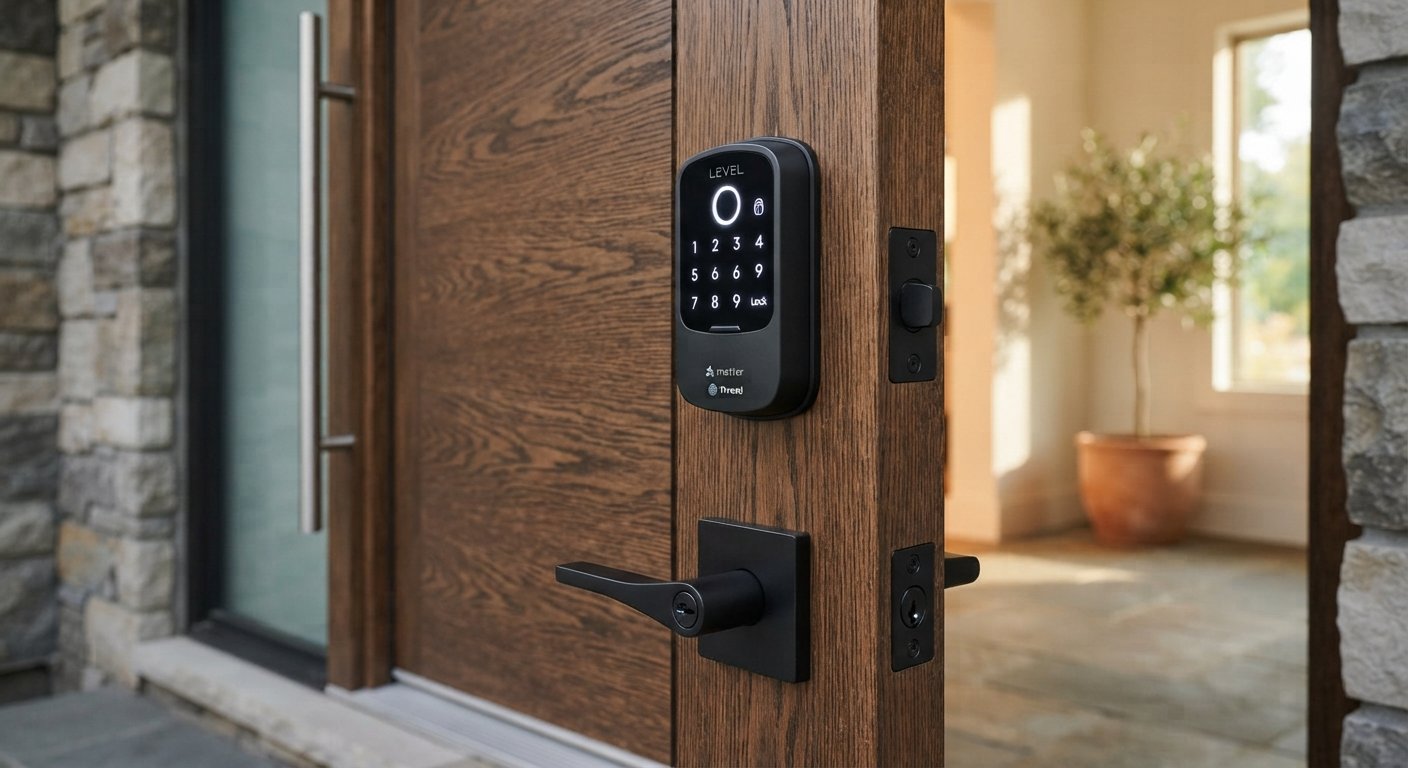
- Best Invisible Design — Level Lock Matter ($249.99): Houses the entire motor and Thread chip inside the deadbolt mechanism itself, preserving your door’s classic architectural hardware look while adding smart app and keypad access.
- Best Budget Pick — ULTRALOQ Bolt SE ($84.99): Delivers certified Matter over Thread connectivity, local auto-lock scheduling, and high-security mechanical key backup at an unbeatable entry price.
Comparison: Best Smart Locks Under $300 (2026 Lineup)
| Lock Model | Price Tier | Wireless Protocol | Primary Unlock Methods | Monthly Subscription |
|---|---|---|---|---|
| Aqara Smart Lock U400 | ~$269.99 | Matter over Thread | Fingerprint, Keypad, App, Physical Key | $0 / Month |
| Level Lock (Matter Edition) | ~$249.99 | Matter over Thread | App, Touch, Physical Key | $0 / Month |
| Lockin Veno Plus Palm Vein | ~$218.49 | Matter over Thread | Touchless Palm Vein, Keypad, App | $0 / Month |
| ULTRALOQ Bolt SE | ~$84.99 | Matter over Thread | Keypad PIN, App, Physical Key | $0 / Month |
3 Essential Features to Check Before Buying Under $300
1. Certified Matter over Thread Radio
Avoid older Wi-Fi-only deadbolts that drain AA batteries in 6 weeks. Selecting a lock with native Thread wireless networking extends battery life to 8–12 months while delivering instant local responsiveness.
2. ANSI/BHMA Grade 1 or Grade 2 Security Certification
Ensure the deadbolt cylinder meets residential ANSI/BHMA durability standards and includes anti-drill steel plates and tamper alerts.
3. Exterior Emergency Power Port (USB-C)
Look for an external USB-C power jumpstart port at the bottom of the exterior escutcheon so you can temporarily power the lock with a phone power bank if internal batteries ever run dry.
Building a Complete, Subscription-Free Entryway
Pairing the best smart lock under $300 with a local outdoor security camera and automated porch lighting creates a seamless, privacy-first front door defense. For more hands-on hardware reviews, structured wiring guides, and local smart home tutorials, visit our home page at SystemForHome. To verify official certified Matter smart lock listings, consult the Connectivity Standards Alliance Certified Products Database.
More Tips for Installing Your Smart Deadbolt
To guarantee smooth motor operation and maximum battery life on your new smart lock, follow these practical installation tips:
- Test Bolt Throw with Door Closed: Before tightening the interior mounting screws, lock and unlock the deadbolt with the door shut to confirm the bolt slides freely into the strike plate without rubbing.
- Use High-Capacity Alkaline or Lithium AA Batteries: Avoid cheap carbon-zinc batteries; use quality alkaline cells or 1.5V lithium batteries for reliable motor torque in cold winter temperatures.
- Create Unique PINs per Family Member: Assign individual passcodes to each household member so your local access logs accurately track who unlocked the door and when.
- Enable Auto-Lock with Door Sensor: Calibrate the built-in door position sensor so the deadbolt only engages after the door is physically closed—preventing the extended bolt from striking the doorframe.
How to Install Your Smart Lock in 4 Steps
- Remove Old Deadbolt Hardware: Unscrew the interior thumbturn and exterior cylinder from your existing standard 2-1/8 inch bore hole.
- Install Adjustable Latch Bolt: Set the latch backset (2-3/8″ or 2-3/4″) to match your door edge and secure the bolt housing.
- Mount Exterior Keypad & Interior Plate: Route the ribbon data cable underneath the latch and fasten the interior mounting plate tightly against the door.
- Scan Matter QR Code & Calibrate: Insert batteries, scan the Matter setup code inside your smart home app, and run the automatic lock-direction calibration routine.
Frequently Asked Questions
Do smart locks under $300 require a separate bridge or hub?
Matter over Thread smart locks connect directly to any existing Thread Border Router you already own—such as an Apple HomePod mini, Apple TV 4K, Google Nest Hub (2nd Gen), or a Home Assistant Thread adapter—without needing a proprietary brand bridge.
Are biometric fingerprint smart locks reliable in cold or wet weather?
Modern capacitive and palm-vein sensors achieve over 99% recognition accuracy in milliseconds. However, choosing a lock that also includes an illuminated keypad and physical keyway guarantees reliable access even when wearing winter gloves.
Final Verdict
Selecting the best smart lock under $300 gives you certified physical deadbolt security, instant Matter over Thread local automation, and biometric convenience—all without paying a single dollar in recurring monthly fees.